

Sharing Links: Dashboard & Mention Wall
Share real time insights with your team using Kommon Poll shareable Dashboard and Mention Wall links.



Share live, read-only Kommon Poll views through Dashboard and Mention Wall links.
Kommon Poll share links let stakeholders view insights without receiving an export file. Use them when the audience needs a live view that can be opened in a browser.
You can share two main view types:
- Dashboard - the analytics view with KPI tiles, charts, tabs, and breakdowns.
- Mention Wall - a live-style feed of individual mentions for monitoring screens and real-time awareness.
1. Before You Share
Check the context before generating a link:
- Open the correct saved search or result.
- Confirm the active team is correct.
- Set the date range.
- Apply any filters you want the audience to see.
- Review the dashboard and mention examples.
- Decide whether the audience needs the full dashboard or only the Mention Wall.
Share links should be treated like access links. Anyone with the link may be able to view the shared page depending on your organization's configuration.
2. Share A Dashboard
A Dashboard share link is best when the audience needs the full analytical picture.
Dashboard links can include:
- Overview KPI tiles.
- Trend charts.
- Sentiment analysis.
- Mention analysis.
- Topic and hashtag analysis.
- Demographics where available.
- Image analysis where available.
- Competitor insights where configured.
- Current dashboard widgets and tabs.
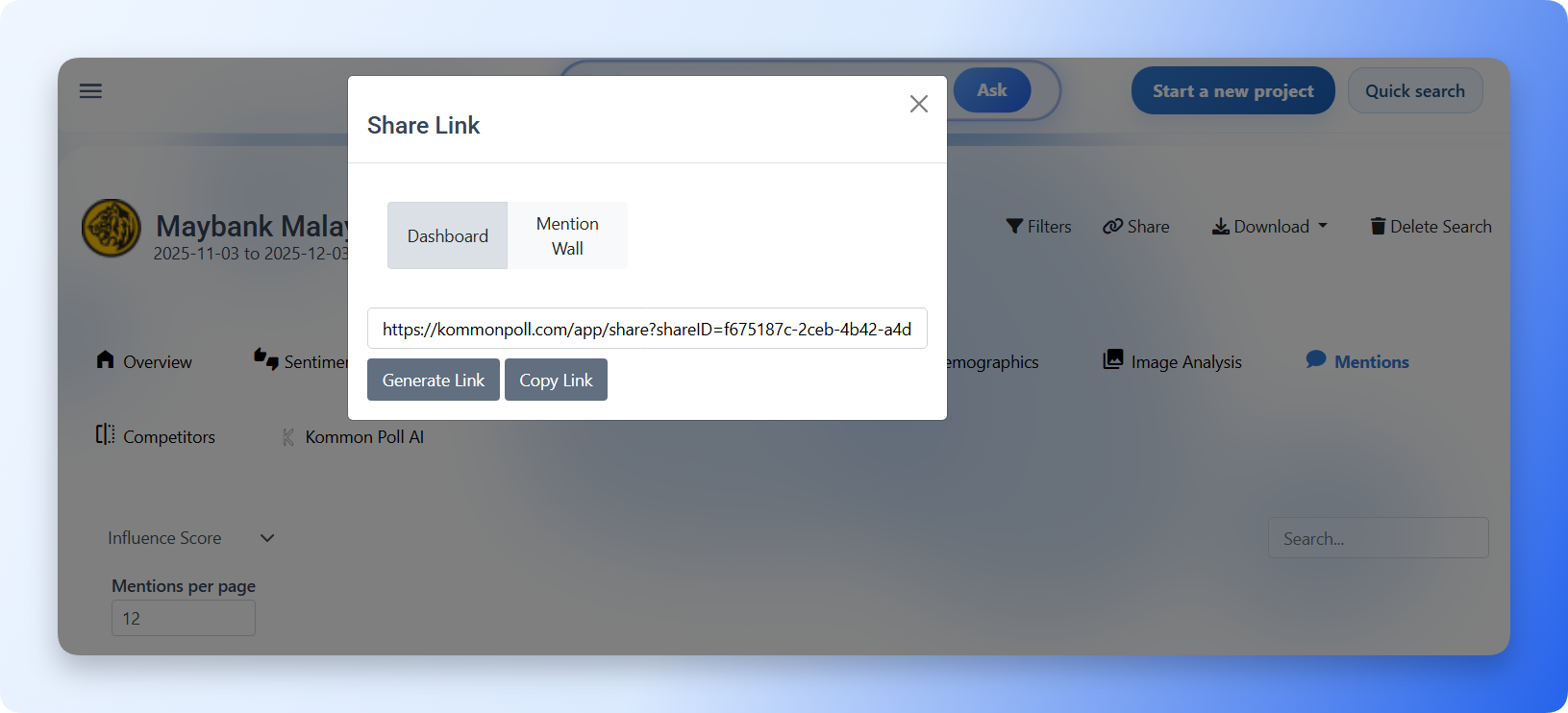
How to share the dashboard:
- Open the search or project.
- Apply the date range and filters you want reflected.
- Click Share.
- Choose Dashboard.
- Click Generate Link.
- Click Copy Link.
- Paste the link into email, Slack, WhatsApp, Teams, a ticket, or a shared document.
Use dashboard sharing for:
- Leadership updates.
- Client reviews.
- Campaign performance checks.
- PR and communications reporting.
- Cross-functional team visibility.
3. Share A Mention Wall
A Mention Wall share link is best when the audience needs to watch individual mentions.
Mention Wall links can show:
- A stream of mentions.
- Source or platform indicators.
- Mention text or snippets.
- Published time where available.
- Visual previews where available.
- The search context used to generate the wall.
How to share the Mention Wall:
- Open the search or project.
- Apply any filters needed for the wall.
- Click Share.
- Choose Mention Wall.
- Click Generate Link.
- Click Copy Link.
- Open the link on a browser, display screen, or shared monitoring device.
Use Mention Wall sharing for:
- Crisis rooms.
- Event monitoring.
- Campaign launch screens.
- Customer support watchlists.
- Brand safety review.
- Internal awareness displays.
4. Dashboard Link Vs Mention Wall Link
| Use case | Best link |
|---|---|
| Explain performance with charts | Dashboard |
| Watch live-style individual mentions | Mention Wall |
| Share with executives | Dashboard |
| Run a monitoring screen during an event | Mention Wall |
| Review campaign reach, sentiment, and demographics | Dashboard |
| Track incoming comments or posts during a spike | Mention Wall |
5. Copy And Distribute The Link
The link workflow is:
- Generate Link creates the share link.
- Copy Link copies it to your clipboard.
- Paste it into the communication channel you use.
Common channels include:
- Slack
- Microsoft Teams
- Project management tickets
- Shared reports
- Client portals
If the copied link does not open for the recipient, check whether their network, browser, or organization settings block access.
6. Sharing Best Practices
- Share a dashboard when stakeholders need numbers and charts.
- Share a Mention Wall when stakeholders need a real-time content feed.
- Apply filters before generating the link if the audience should see only a subset.
- Avoid sharing overly broad searches with external audiences.
- Use exports when the audience needs a fixed snapshot.
- Use share links when the audience needs an updated view.
- Regenerate or redistribute links after major search changes if your workflow depends on the latest context.
Share links are designed for visibility. Reports and CSV exports are designed for fixed evidence, archiving, and offline analysis.